Pinterest Pin Templates That Work Offline: No Subscription Needed (2025)
Word Count: 2,547 words | Reading Time: 10 minutes
Are you tired of paying monthly subscription fees for Pinterest pin templates? Frustrated with tools that require constant internet connection and account logins? You’re not alone.
While most content creators rely on subscription-based platforms like Canva Pro (€120/year) or Tailwind (€180/year), there’s a revolutionary alternative that’s changing how people create Pinterest graphics: browser-based Pinterest pin templates that work 100% offline.
The Hidden Cost of Subscription-Based Pinterest Tools
Let’s talk about the elephant in the room: subscription fatigue.
The average content creator or small business owner pays for multiple design tools every month. Canva Pro costs €120 annually. Tailwind runs €180 per year. PicMonkey charges €96 yearly.
Over five years, that’s €600 for Canva alone. Add Tailwind? You’re at €1,500. These costs add up fast, especially for bloggers, small business owners, and content creators just starting out.
But here’s the real problem: You can’t work offline.
Miss a payment? Lose access to all your designs. No internet connection? Can’t create pins. Account suspended? Kiss your templates goodbye.
What Are Browser-Based Pinterest Pin Templates?
Browser-based Pinterest templates are HTML files that open directly in your web browser with no software installation required. Think of them as self-contained design tools that live on your computer.
Why Pinterest Marketers Are Switching to Offline Templates
The shift from subscription-based tools to browser-based Pinterest templates isn’t just about saving money. It’s about freedom and control.
1. Work Anywhere, Anytime (Even on a Plane)
Digital nomads and travelers know the frustration: You’re on a flight, train, or in a coffee shop with spotty WiFi. Suddenly, your Pinterest pin creation workflow stops dead.
Browser-based templates solve this completely. Once you’ve opened them once, they work 100% offline. No buffering, no loading, no “connection lost” errors.
2. No More Subscription Anxiety
Ever had your credit card decline right before creating urgent social media content? With browser-based Pinterest pin templates, you pay once (typically around €25) and own them forever.
No renewal dates. No price increases. No “limited time” features that disappear. Just unlimited pin creation for life.
3. Privacy-First Design Tool
Subscription tools track everything: your designs, your content, your usage patterns. Browser-based templates? Zero tracking. They run entirely on your computer with no data collection, no analytics, no privacy concerns.
Comparing Pinterest Pin Template Solutions: The Real Numbers
| Feature | Canva Pro | Tailwind | Browser-Based |
|---|---|---|---|
| 5-Year Cost | €600 | €900 | €25 |
| Works Offline | ❌ No | ❌ No | ✅ Yes |
| Account Required | ✅ Yes | ✅ Yes | ❌ No |
| Internet Needed | ✅ Always | ✅ Always | ❌ Only first time |
| Template Uniqueness | Overused | Limited | Unique designs |
| Learning Curve | Moderate | Moderate | None |
10 Types of Pinterest Pin Templates Every Marketer Needs
Professional Pinterest marketing requires template variety. Here are the must-have pin designs for 2025:
🎯 Looking for All 10 Template Types?
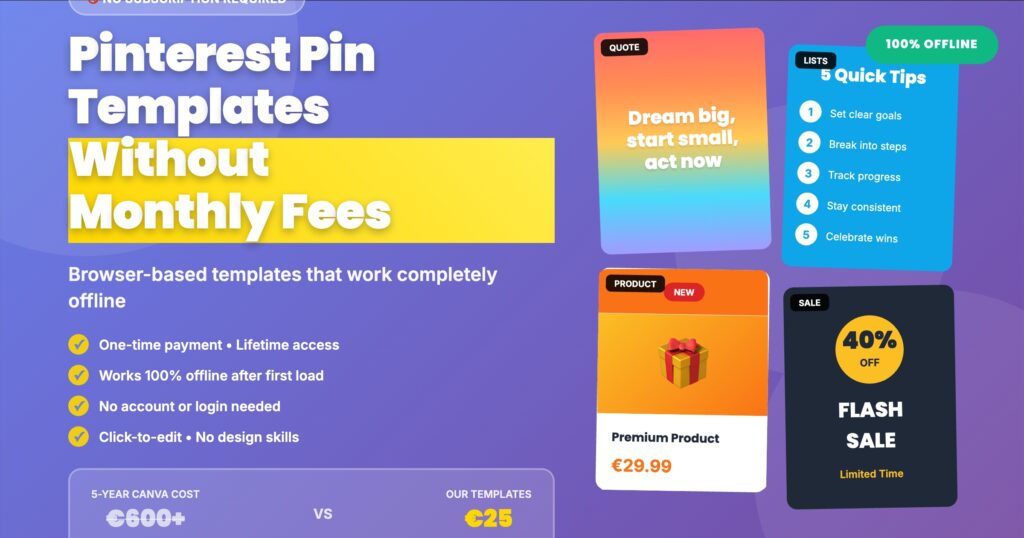
Get access to professional Pinterest pin templates that work offline – no subscription required. Includes quote templates, list designs, product showcases, and more.
Get Your Templates Now →How to Choose the Right Pinterest Pin Templates
Not all Pinterest templates are created equal. Here’s what to look for:
Template Design Quality
Simplicity beats complexity. The best Pinterest pin designs are clean, readable, and focused. Avoid templates with cluttered layouts, too many decorative elements, or unclear focal points.
Key design elements to check:
- Readable fonts – Text should be legible on mobile devices
- Clear hierarchy – Most important information stands out
- Proper sizing – 1000×1500px or 2:3 aspect ratio is ideal
- Brand flexibility – Easy to customize colors and fonts
Ease of Customization
The best Pinterest templates let you customize everything without complex tools. Look for:
- Click-to-edit text fields
- Simple color pickers (no hex code hunting)
- Photo upload capabilities
- Real-time preview before downloading
Technical Specifications
Professional Pinterest marketing requires proper technical setup:
- Correct dimensions: 1000×1500px is Pinterest’s optimal size
- File format: PNG for quality, JPG for smaller file sizes
- Color mode: RGB (not CMYK) for digital use
- Resolution: 72 DPI minimum for web display
Creating Your First Pinterest Pin Without Subscription
Ready to create professional Pinterest graphics without monthly fees? Here’s your step-by-step guide:
Total time: 3-5 minutes from start to finished pin.
Pinterest Pin Design Best Practices for 2025
Templates are just the starting point. Here’s how to maximize your Pinterest marketing results:
Optimize for Mobile First
Over 85% of Pinterest users access the platform on mobile devices. Your pin graphics must be readable on small screens:
- Use font sizes of 60px or larger for headlines
- Keep text to 15 words or less
- Ensure high contrast between text and background
- Test your pins on your phone before publishing
Create Multiple Pin Designs Per Content Piece
Pinterest rewards variety. Create 3-5 different pin designs for each blog post or product:
- Different color schemes
- Various text headlines
- Multiple image options
- Different design styles (quote vs list vs photo-focused)
Use Vertical Orientation
Pinterest is a vertical platform. The ideal aspect ratio is 2:3 (1000×1500px). Avoid square or horizontal pins – they get less visibility in feeds.
Include Brand Elements
Consistent branding builds recognition. Add your logo, use brand colors, and maintain font consistency across all your Pinterest graphics.
Common Pinterest Template Mistakes to Avoid
Even with great templates, these mistakes can tank your Pinterest performance:
Mistake #1: Using Overused Canva Templates
When everyone uses the same Canva templates, your pins blend into the crowd. Pinterest users develop “banner blindness” to common designs.
Solution: Use unique browser-based templates or heavily customize popular designs.
Mistake #2: Text That’s Too Small
If users can’t read your pin text while scrolling, they won’t click. Remember: mobile screens are small!
Solution: Minimum 60px font size for headlines, 40px for supporting text.
Mistake #3: Ignoring Pinterest SEO
Beautiful pins mean nothing without proper optimization. Pinterest is a visual search engine – treat it like one.
Solution: Include keywords in your pin title, description, and board name.
Mistake #4: Not Testing Different Designs
What works for one niche might flop in another. Beauty content needs different design approaches than business coaching.
Solution: Create multiple pin variations and track which designs drive the most traffic.
Pinterest Marketing Strategy: Beyond Templates
Great Pinterest pin templates are just one piece of your marketing puzzle. Here’s the complete strategy:
Consistent Pinning Schedule
Pinterest rewards fresh content. Aim for:
- 3-5 new pins daily for growing accounts
- 1-2 pins daily minimum for established accounts
- Mix of new content and repins
- Consistent timing (Pinterest notices patterns)
Keyword Optimization
Every pin should target specific search terms:
- Research keywords using Pinterest search suggestions
- Include keywords in pin titles naturally
- Write detailed descriptions (200+ characters)
- Use relevant hashtags (3-5 per pin)
Pinterest Board Strategy
Organize content into themed boards:
- Create boards for each content category
- Use keyword-rich board names
- Write detailed board descriptions
- Pin regularly to all boards (not just one)
✅ Benefits of Browser-Based Templates
- One-time payment (€25 vs €600+ subscriptions)
- Works 100% offline after first use
- No account or login required
- No recurring fees or price increases
- Complete privacy (no data collection)
- Works on any computer with browser
- Instant access, no installation
⚠️ Considerations
- Smaller template library than Canva
- No collaborative features
- Limited animation options
- Manual file organization needed
- No cloud storage
The Future of Pinterest Marketing Tools
The trend is clear: creators want ownership and control.
Subscription fatigue is real. Content creators, bloggers, and small business owners are tired of paying monthly fees for tools they could own outright.
Browser-based Pinterest templates represent this shift. They offer:
- Financial sustainability – Pay once, use forever
- True offline capability – Work anywhere, anytime
- Privacy protection – No tracking or data collection
- Simple workflows – No complex interfaces to learn
As AI-powered design tools become more common, the value proposition shifts from “access to templates” to “ownership of tools.” Browser-based templates are ahead of this curve.
Taking Action: Your Next Steps
Ready to transform your Pinterest marketing without breaking the bank?
Here’s your action plan:
- Audit your current costs – Calculate what you’re paying annually for design tools
- Try browser-based templates – Experience offline pin creation firsthand
- Create 5 pin variations – Test different designs for your best-performing content
- Track your results – Monitor clicks, saves, and traffic over 30 days
- Scale what works – Double down on winning designs and strategies
The Pinterest landscape is competitive, but you don’t need expensive subscription tools to succeed. With the right templates and strategy, you can create scroll-stopping pins that drive traffic and sales – all without monthly fees.
🚀 Ready to Create Professional Pinterest Pins Without Subscription?
Get instant access to 10 professional Pinterest pin templates that work offline. No subscription, no account, no internet required after download.
Includes: Quote templates, numbered lists, product showcases, flash sales, checklists, tutorials, and more. One-time payment of €25. Lifetime access.
Get Your Templates Now →Frequently Asked Questions
Final Thoughts
Pinterest marketing doesn’t require expensive subscriptions or complex design software.
Browser-based Pinterest pin templates prove that you can create professional, scroll-stopping pins with a one-time investment of €25 instead of paying €600+ over five years for Canva Pro.
The choice is yours: continue paying monthly fees for tools that require constant internet connection, or invest once in templates you’ll own forever, that work offline, and don’t track your data.
Your Pinterest strategy deserves tools that work as hard as you do – without the subscription price tag.
Start creating professional Pinterest pins today – no subscription required.
Last updated: January 2025 | This article contains affiliate links. We recommend products we genuinely believe in.