Looking for LinkedIn post templates that won't drain your bank account every month? You're not alone. While platforms like Canva Pro charge €120 annually and require constant internet access, smart professionals are discovering better alternatives that work offline and cost a fraction of the price.
🎯 Skip the Monthly Fees
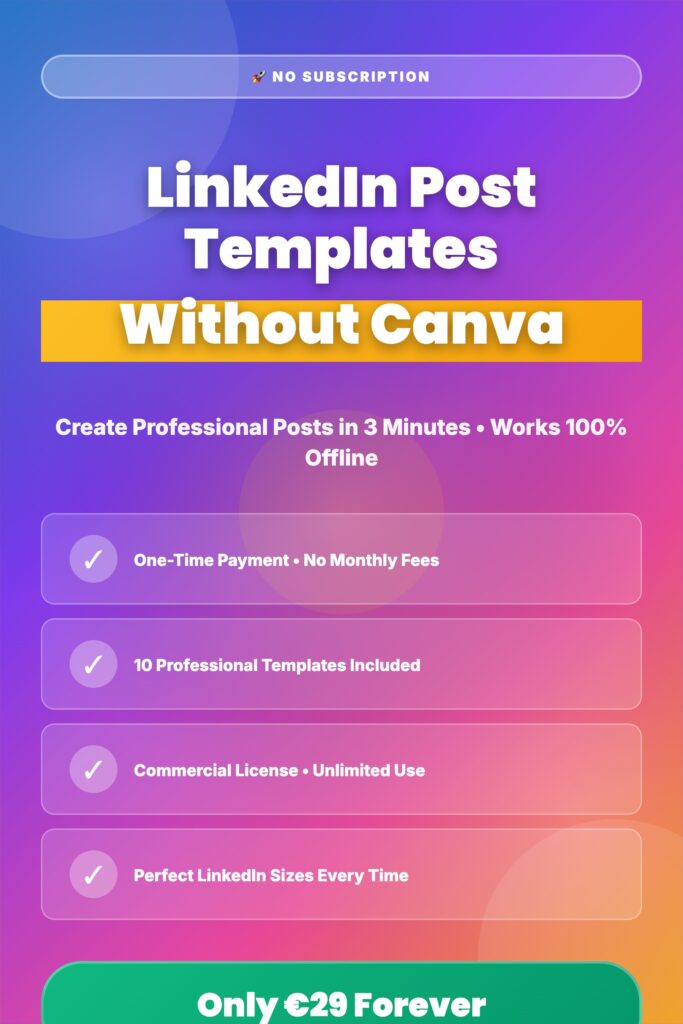
Get 10 professional LinkedIn templates for €29 one-time payment. Works offline, no subscription required.
Get Professional Templates →LinkedIn has become the powerhouse platform for B2B marketing, thought leadership, and professional networking. With over 900 million users worldwide, standing out requires more than just good writing—you need visually compelling posts that capture attention in crowded feeds.
But here's the problem: most professionals waste 30+ minutes designing each post, struggle with inconsistent branding, or pay expensive monthly subscriptions for design tools they barely use. This guide reveals how to create scroll-stopping LinkedIn content without the recurring costs or design headaches.
Why Traditional LinkedIn Template Solutions Fall Short
Before diving into better alternatives, let's examine why most professionals feel frustrated with current options.
The Subscription Trap
Canva Pro costs €120 per year. Visme starts at €12.25 monthly. Adobe Creative Cloud runs €54.99 monthly. For solopreneurs and small businesses posting consistently on LinkedIn, these costs add up to €600-1,000 over five years—just for the ability to create simple social media graphics.
Even worse? Most professionals use less than 10% of these platforms' features. You're essentially paying for a Swiss Army knife when you only need a single blade.
The Internet Dependency Problem
Travel frequently for business? Work from cafes with spotty WiFi? Traditional cloud-based design tools become useless without reliable internet. This creates frustrating scenarios where you can't create time-sensitive content when you need it most.
The Generic Template Issue
When everyone uses the same free Canva templates, your posts start looking like everyone else's. Your audience develops "banner blindness" because they've seen the same layouts dozens of times before.
📊 The Real Cost of Subscriptions
What Makes a Great LinkedIn Post Template?
Not all templates are created equal. Professional-grade LinkedIn templates share specific characteristics that drive engagement and conversions.
Perfect Sizing for LinkedIn's Algorithm
LinkedIn's image dimensions matter. Standard posts perform best at 1200×1200 pixels, while carousel posts require 1080×1080 pixels. Templates that don't match these exact specifications force you to crop or resize—often ruining your carefully designed layout.
Brand Consistency Features
Professional templates allow easy customization of colors, fonts, and logos. This ensures every post reinforces your brand identity without requiring design skills or hours of tweaking.
Multiple Content Types
Your LinkedIn strategy needs variety. Quality template packages include options for:
- Carousel posts for multi-slide educational content that LinkedIn's algorithm favors
- Quote graphics for thought leadership and inspiration
- Statistics posts to establish credibility with data
- Personal story templates for authentic connection
- List posts for actionable tips and frameworks
- Before/after comparisons for case studies and results
- Poll templates to drive engagement (polls get 3x more comments)
- Announcement graphics for product launches and news
- Event promotion for webinars and networking
- Testimonial layouts for social proof
10 Essential LinkedIn Template Types
📊 Carousel
Multi-slide educational posts
" Quote
Thought leadership content
87% Stats
Data-driven insights
💭 Story
Personal journeys
📝 Lists
Actionable frameworks
🎟️ Events
Webinar promotion
Browser-Based Templates: The Game-Changing Alternative
Here's what most people don't know: HTML-based templates that run directly in your browser offer massive advantages over traditional subscription tools.
True Offline Functionality
After the initial load, browser-based templates work completely offline. No internet? No problem. Create professional posts from airplanes, remote locations, or anywhere without connectivity.
One-Time Payment Model
Pay once, own forever. No monthly fees. No surprise renewal charges. Professional template packages typically cost €29-49 one-time—less than a single month of premium design tool subscriptions.
Instant Editing with Click-to-Edit
Simply click any text element to edit. Adjust colors with intuitive color pickers. Change font sizes with sliders. Download your perfect-sized PNG in one click. The entire process takes 3 minutes versus 30+ minutes with traditional design tools.
No Account Required
Privacy-conscious professionals appreciate not needing to create yet another account, remember another password, or agree to another terms of service. Browser-based templates work immediately with zero setup.
💡 Pro Tip for B2B Marketers
Browser-based templates with commercial licenses let agencies and freelancers create unlimited client content without per-seat pricing or usage restrictions. This turns a €29 investment into thousands of euros in client value.
Maximizing LinkedIn Engagement with Templates
Having great templates is just the starting point. Here's how to use them strategically for maximum engagement.
The Daily Posting Consistency Rule
LinkedIn's algorithm rewards consistent posting. Industry data shows profiles posting daily receive 3x more profile views and 5x more connection requests than sporadic posters. Templates make daily posting sustainable by reducing creation time by 90%.
Carousel Posts for Algorithm Wins
LinkedIn's algorithm currently favors carousel posts (multiple images in a swipeable format). These posts receive 2-3x more engagement than standard single-image posts. Use carousel templates for:
- Step-by-step tutorials and how-to guides
- List-style content (7 Ways to..., 5 Mistakes to Avoid...)
- Before/after transformations with multiple stages
- Data storytelling across multiple slides
The Best Times to Post
Recent studies reveal B2B professionals engage most on LinkedIn Tuesday through Thursday, 7-9 AM and 12-1 PM in their local timezone. Schedule your template-created posts for these windows to maximize visibility.
Combining Text Hooks with Visual Templates
Your first line determines if people stop scrolling. Pair compelling visual templates with proven text hooks:
- "I've been doing [X] for [Y] years. Here's what nobody tells you..."
- "This one mistake cost me [specific number]. Here's how to avoid it..."
- "Everyone says [common advice]. I did the opposite and [result]..."
- "[Surprising statistic] about [your industry]. Here's why..."
Industry-Specific Template Strategies
Different industries require different approaches to LinkedIn content. Here's how to adapt templates for your niche.
For Business Coaches and Consultants
Focus on transformation stories using before/after templates. Share client wins (with permission) using testimonial layouts. Post thought leadership quotes establishing your methodology. Use carousel templates to break down your frameworks into digestible steps.
For B2B SaaS Companies
Statistics templates work exceptionally well for sharing industry benchmarks and research data. Carousel posts can demonstrate product features through step-by-step walkthroughs. Event templates promote webinars and product launches effectively.
For Freelancers and Solopreneurs
Personal story templates build authentic connections with potential clients. List posts showcasing your process or tips establish expertise. Quote templates sharing lessons learned position you as thoughtful and experienced.
For Recruiters and HR Professionals
Announcement templates make job postings stand out in feeds. Carousel posts can break down company culture and benefits. Quote templates featuring employee testimonials build employer brand.
Technical Best Practices for LinkedIn Templates
These technical details separate amateur-looking posts from professional-grade content.
File Format and Compression
Always export as PNG for graphics with text (maintains crispness). JPEG works for photo-heavy posts. Keep file sizes under 5MB for fast loading. LinkedIn compresses images, so starting with high quality (at least 1200px wide) ensures clarity after compression.
Color Psychology for Professional Audiences
LinkedIn's professional audience responds to specific color combinations. Blue conveys trust and expertise (LinkedIn's own brand color). Green suggests growth and success. Dark backgrounds with white text command attention. Avoid overly bright or neon colors that seem unprofessional.
Typography Hierarchy
Use maximum 2-3 font families per template. Ensure headlines are 2-3x larger than body text. Maintain sufficient white space—cramped designs perform poorly on mobile devices where 60% of LinkedIn users browse.
Mobile Optimization
Test every template on mobile before posting. Text should remain readable at thumbnail size. Important information should never be in corners (often cut off in previews). Square formats (1200×1200px) display best across devices.
| Feature | Canva Pro | Browser Templates |
|---|---|---|
| Cost (5 years) | €600 | €29 one-time |
| Works Offline | ✗ No | ✓ Yes |
| Account Required | ✗ Yes | ✓ No |
| Commercial License | ✓ Limited | ✓ Unlimited |
| Learning Curve | Moderate | Minimal |
| Perfect LinkedIn Sizes | Manual Resize | Automatic |
Common Mistakes to Avoid
Even with perfect templates, these errors can tank your engagement.
Overusing the Same Template
Variety matters. Rotate through different template types weekly. Your audience notices repetition and tunes out. Aim for maximum 2 uses of the same template per month.
Ignoring Brand Consistency
Templates should accelerate creation, not replace branding. Always customize colors to match your brand palette. Add your logo where appropriate. Maintain consistent font choices across all posts.
Posting Without a Caption Strategy
Amazing visuals with weak captions don't perform. Write captions first, then select templates that complement your message. The image should enhance your text, not carry the entire message.
Neglecting Accessibility
Add alt text describing your image for visually impaired users. Ensure sufficient color contrast (at least 4.5:1 ratio). Never put critical information only in images—repeat it in your caption.
Advanced Template Customization Techniques
Take your template game to the next level with these professional strategies.
Creating Template Variations
Start with a base template and create 3-5 variations with different color schemes. This provides variety while maintaining brand recognition. Save these variations for quick access when creating content.
Seasonal and Trending Adaptations
Adapt templates for holidays, industry events, or trending topics. A standard quote template becomes a New Year's resolution post with minor color and text changes. Event templates work for conferences year-round with simple date updates.
A/B Testing Your Designs
Create two versions of the same post with different visual treatments. Post to LinkedIn at similar times on different weeks. Track engagement metrics to determine which designs resonate most with your audience.
✨ Ready to Create Professional LinkedIn Posts?
Stop wasting time and money on monthly subscriptions. Get lifetime access to 10 professional templates for one-time payment.
Get Your Templates Now →Measuring Template Performance
Data-driven professionals track which templates drive the best results.
Key Metrics to Monitor
Track impressions (how many people saw your post), engagement rate (likes + comments + shares ÷ impressions), click-through rate on links, and follower growth per post type. LinkedIn's native analytics provides all these metrics free.
Template Performance Patterns
Generally, carousel posts generate highest engagement, list posts drive most saves, quote posts encourage shares, and data/statistics posts build authority. Your specific audience may vary—test to find your winning formula.
Optimization Based on Results
If carousel posts perform 3x better than single images, increase carousel frequency. If blue-themed templates outperform other colors, make blue your primary brand color for LinkedIn. Let data guide your template selection strategy.
Building a Sustainable LinkedIn Content System
Templates enable systems thinking around content creation.
The Weekly Template Rotation
Monday: Personal story or weekend reflection. Tuesday: Industry insight or statistic. Wednesday: Carousel how-to post. Thursday: Quote or thought leadership. Friday: List post or weekend tips. This rotation ensures variety while maintaining consistency.
Batch Creation Strategy
Block 90 minutes weekly to create 5-7 posts using templates. This batching approach is far more efficient than creating content daily. Schedule posts using LinkedIn's native scheduler or tools like Buffer.
Content Repurposing with Templates
Turn one blog post into 5 LinkedIn carousel posts. Extract 10 quotes from a podcast interview for quote templates. Convert case study results into before/after comparison posts. Templates make repurposing effortless.
Frequently Asked Questions
Conclusion: Your LinkedIn Success Starts with the Right Templates
LinkedIn success requires consistency, professionalism, and visual appeal. Traditional subscription-based design tools drain budgets and require constant internet access. Browser-based templates solve both problems with one-time payments and offline functionality.
The mathematics are simple: €29 one-time versus €600 over five years with Canva Pro. That's 96% savings while gaining offline access, unlimited commercial use, and zero learning curve.
More importantly, templates compress post creation from 30+ minutes to just 3 minutes. This time savings makes daily posting sustainable, which multiplies your LinkedIn visibility and engagement exponentially.
Whether you're a business coach building thought leadership, a B2B marketer driving leads, or a freelancer attracting clients, professional LinkedIn templates provide the foundation for consistent, compelling content that gets results.
The only question is: will you continue paying monthly fees and wasting hours on design, or will you invest once in professional templates that work offline and save you hundreds of hours annually?
🚀 Start Creating Professional LinkedIn Posts Today
Get 10 professional templates with lifetime access. No subscriptions, no account required, works 100% offline.
Get Templates for €29 →✓ One-time payment • ✓ Commercial license included • ✓ 30-day money-back guarantee